
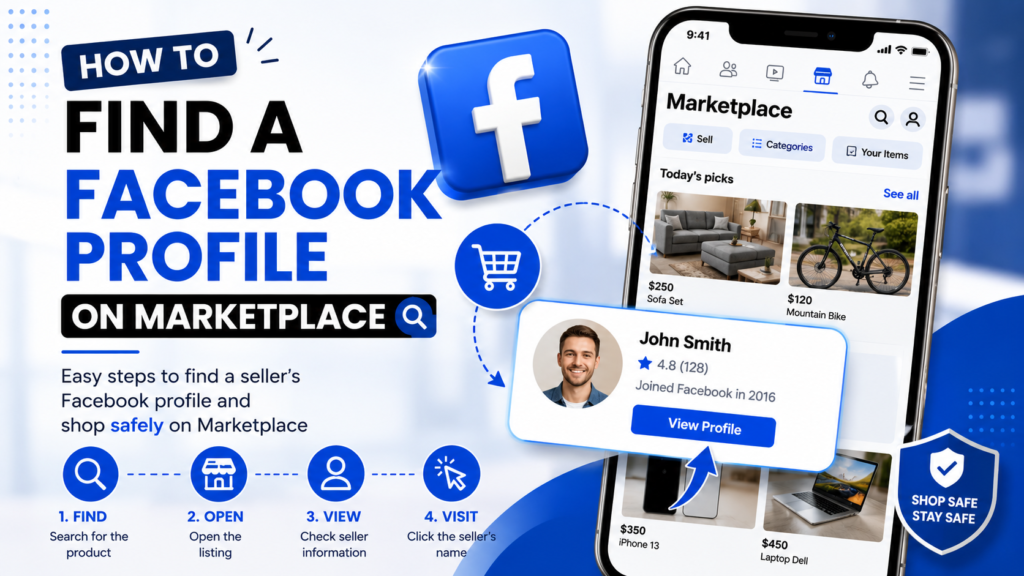
How to Find a Facebook Profile on Facebook Marketplace
Facebook Marketplace makes it easy to buy and sell products, but finding a specific person’s Facebook profile through Marketplace can be surprisingly difficult. Unlike regular Facebook search, Marketplace is primarily designed around products and listings rather than people.
If you are trying to verify a seller, reconnect with someone you previously contacted, or simply find the Facebook profile connected to a Marketplace listing, there are several practical methods you can try.
Can You Search for Someone Directly on Facebook Marketplace?
Not reliably.
Facebook Marketplace does not function as a dedicated directory of sellers. Searching for someone’s name may not show all of their listings—or may return no useful results at all.
The most dependable approach is to find one of the person’s Marketplace listings first and then open their seller information.
Method 1: Find Their Profile Through a Marketplace Listing
This is usually the easiest and most reliable method.
Step 1: Open Facebook Marketplace
Open Facebook and select Marketplace from the main navigation menu.
On mobile, you can usually find Marketplace through the Facebook app’s menu or navigation bar.
Step 2: Find a Listing From the Person
Search for the product they are selling rather than searching only for their name.
For example, if you know they are selling a particular phone, car, laptop, piece of furniture, or other item, search using:
- Product name
- Brand
- Model
- Approximate price
- Location
- Relevant keywords
Using several specific terms can make it easier to locate the correct listing.
Step 3: Open the Listing
Once you find the suspected listing, open it and scroll through the listing details.
Look for the Seller Information, seller name, or seller profile photo.
Step 4: Select the Seller’s Name
Click or tap the seller’s name or profile information.
Depending on Facebook’s current interface and the seller’s account settings, this may open a Marketplace seller profile showing information such as their active listings, ratings, reviews, and other publicly available details.
Method 2: Use an Existing Messenger Conversation
If you have previously contacted the person through Marketplace, Messenger can be another useful route.
Open your Marketplace conversation and look for the seller’s name at the top of the conversation. Depending on the current Facebook interface, you may be able to select the person’s name, profile picture, or menu options to access their Facebook profile.
This method is particularly useful when you no longer remember the exact Marketplace listing you originally viewed.
Method 3: Search for Their Product Instead of Their Name
If searching for the seller’s name doesn’t work, don’t give up.
Try searching for the item they were selling.
For example, instead of searching:
John Smith
Try:
iPhone 15 Pro 256GB
Then narrow the results using location, price, category, or other relevant filters.
Marketplace search is primarily optimized around listings, so searching for specific product information can sometimes work better than searching for a person’s name.
Method 4: Check Your Previous Marketplace Messages
If you have communicated with the seller before, your old messages may be the fastest way to find them.
Look through your Marketplace conversations for:
- The original item
- Seller’s name
- Listing link
- Seller’s profile photo
- Previous messages
- Product description
If the listing is still active, opening it can take you back to the seller information.
Keep in mind that deleted, sold, expired, or removed listings may no longer open normally.
What Information Can You See on a Marketplace Seller Profile?
The information available varies from account to account.
A Marketplace seller profile may display:
- Seller’s name
- Profile picture
- Active Marketplace listings
- Seller ratings
- Reviews
- Mutual friends
- Other publicly available profile information
However, you should not assume that Marketplace gives you access to someone’s complete Facebook profile. Privacy settings can limit what you can see.
Why Can’t I Find a Seller’s Facebook Profile?
There are several possible reasons.
The Listing Was Removed
If the seller sold or deleted the item, the listing may no longer be available.
The Seller Has No Active Listings
A seller may have used Marketplace previously but currently have nothing for sale.
Privacy Settings
Facebook users can control how much information other people can see about their profiles.
Marketplace Search Limitations
Marketplace does not reliably provide a people-search function. A seller can have active listings without their name appearing when you search for them directly.
Location and Search Filters
Marketplace results can depend on your selected location, distance, category, and other filters.
Try adjusting your location and search radius if you believe the listing is outside your current search area.
How to Check Whether a Marketplace Seller Looks Legitimate
Finding a seller’s profile is useful, but it should not be treated as proof that someone is trustworthy.
Before buying an expensive item, look for multiple signals:
Check seller ratings: A history of ratings can provide useful context.
Look at reviews: Read reviews rather than relying only on the overall rating.
Check listing history: Multiple legitimate-looking listings can provide additional context.
Compare product information: Be cautious if the price is dramatically lower than comparable products.
Avoid suspicious payment requests: Be especially careful if someone pressures you to send money before you can verify the transaction.
Meet safely: For local transactions, choose a public location and follow appropriate safety precautions.
A Marketplace profile can provide useful information, but it does not guarantee that a seller is legitimate. Ratings and reviews should be considered alongside the rest of the transaction details.
Can You Find Someone’s Full Facebook Profile From Marketplace?
Sometimes, but not always.
Facebook’s Marketplace experience can provide a limited seller view rather than unrestricted access to someone’s personal Facebook profile. What you can see depends on Facebook’s current features, the account, and privacy settings.
If a seller has restricted their profile, you should respect those privacy settings rather than attempting to bypass them.
What If You Can’t Find the Person at All?
If you know the seller but cannot locate their profile, try this sequence:
- Find the original Marketplace listing.
- Search for the exact or similar product.
- Check your Marketplace Messenger conversations.
- Search using the seller’s name and approximate location.
- Adjust Marketplace’s location and distance filters.
- Check relevant local buying-and-selling groups if you have a legitimate reason to do so.
- Ask the seller directly for their Facebook profile or another way to verify their identity.
The key is to work from information you already have rather than trying to uncover private information about someone.
Frequently Asked Questions
Can I search for a Facebook Marketplace seller by name?
Not reliably. Marketplace is primarily designed for searching listings, so finding a seller through one of their active listings is generally more dependable.
How do I see a seller’s Marketplace profile?
Open one of their Marketplace listings and select the seller’s name or profile information. If Facebook makes the seller profile available, it will open from the listing.
Can I find a seller through Messenger?
Yes. If you have previously communicated with the seller through Marketplace, your Messenger conversation may provide a route back to their profile or original listing.
Why can’t I see a seller’s other listings?
They may have sold, deleted, hidden, or expired their other listings. They may also have no other active Marketplace listings.
Can I see someone’s private Facebook information through Marketplace?
No. Marketplace does not override a person’s Facebook privacy settings. Only information Facebook makes available to you can be viewed.
Is it safe to investigate a seller before buying?
Checking publicly available seller information, ratings, reviews, and listings can help you make a more informed decision. However, don’t use Marketplace to harass, stalk, or obtain private information about another person.
Final Remarks
Finding a Facebook profile through Marketplace isn’t always straightforward because Facebook prioritizes product listings over direct seller searches.
The best approach is to start with an existing Marketplace listing, open the seller information, and select the seller’s name. If you don’t have the listing anymore, check your Marketplace Messenger conversations or search for the product using specific keywords and location filters.
Most importantly, use publicly available information responsibly. A seller’s profile can help you evaluate a transaction, but it should never be used as a reason to invade someone’s privacy.