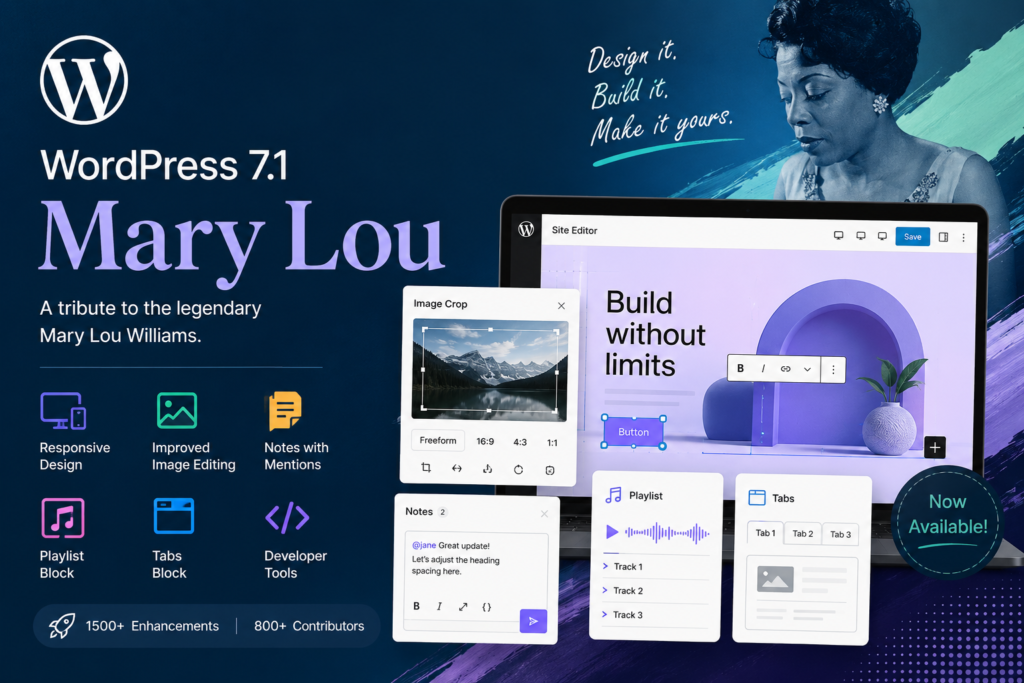
WordPress has officially introduced WordPress 7.1, codenamed “Mary Lou,” bringing a wide range of improvements to website design, media management, collaboration, accessibility, performance, and developer tools.
Released on August 19, 2026, WordPress 7.1 is named in honor of legendary jazz pianist, composer, and arranger Mary Lou Williams. Her ability to continually reinvent her sound and collaborate with other musicians inspired the themes behind this release.
For website owners, bloggers, developers, and designers, WordPress 7.1 focuses on making the editing experience more flexible, responsive, and efficient.
What Is WordPress 7.1 “Mary Lou”?
WordPress 7.1 is the latest major release of the world’s most widely used content management platform. The update introduces new tools designed to give users greater control over how websites look and function across different devices.
The release includes improvements to the Site Editor, media tools, Notes, responsive design, accessibility, performance, and developer APIs. WordPress says the release includes more than 1,500 enhancements and fixes, with contributions from more than 800 contributors worldwide.
1. Responsive Styling Without Custom CSS
One of the most useful additions in WordPress 7.1 is improved responsive styling.
Website creators can now adjust how blocks appear at different screen sizes directly through WordPress. Instead of relying on custom CSS for many responsive adjustments, users can configure styling through Global Styles and individual block settings.
The Site Editor also provides viewport previews, making it easier to see how a layout will look on different devices while designing it.
This can be particularly useful for:
- Mobile-friendly websites
- Business websites
- Blogs and magazines
- Online stores
- Landing pages
- Portfolio websites
2. The Admin Bar Is Now Available Across Editors
WordPress has also improved navigation by keeping the admin bar available as users move between different editing environments.
This creates a more consistent experience between the dashboard, Site Editor, and other editors.
For people who frequently switch between content creation and website customization, this should make WordPress feel more familiar and easier to navigate.
3. A Completely Improved Image Cropping Workflow
WordPress 7.1 introduces a new media editing experience.
The familiar Crop button now opens a dedicated media editor that brings several image-editing tools together.
Users can perform:
- Freeform cropping
- Aspect-ratio cropping
- Horizontal flipping
- Vertical flipping
- Precise image rotation
- Snap rotation
- Metadata editing
Instead of having different editing controls scattered throughout the interface, WordPress brings these functions into one workflow.
For bloggers and content creators who regularly prepare featured images, thumbnails, and social media graphics, this is a practical improvement.
4. Notes Become More Powerful
Collaboration also receives a major upgrade in WordPress 7.1.
Notes now support rich text and @mentions, allowing collaborators to provide more detailed feedback directly inside content.
You can format notes with elements such as bold and italic text, add links, use code formatting, and mention another collaborator.
Another important change is that notes can be attached to specific pieces of text rather than being limited to an entire block.
This makes WordPress more useful for teams working together on articles, pages, and other content.
5. Faster and More Flexible Media Processing
WordPress 7.1 moves several image-processing tasks into the browser.
Image compression, resizing, and thumbnail generation can now happen through browser-based processing, reducing the amount of processing required from the server.
This can help reduce problems associated with:
- PHP memory limits
- Upload timeouts
- Large image processing
- Server resource consumption
The release also adds native support for modern formats including AVIF, HEIC, and HDR gain maps.
6. New Playlist and Tabs Blocks
WordPress 7.1 adds two new blocks that expand what users can build without relying on additional plugins.
Playlist Block
The new Playlist block lets users combine multiple audio tracks into a playlist.
An optional waveform can also provide a visual representation of the audio as it plays.
This could be useful for musicians, podcasters, audio publishers, and websites featuring multiple audio files.
Tabs Block
The new Tabs block allows related information to be organized into separate tabbed sections.
Instead of displaying a large amount of information vertically, website owners can organize content into cleaner, more compact panels.
This can be useful for:
- Product information
- FAQs
- Tutorials
- Course content
- Service descriptions
- Documentation
7. Custom Icons for Developers
Developers get a new public SVG Icon API in WordPress 7.1.
This allows developers to register custom icon collections and icons and make them available within the WordPress editor.
The change provides more flexibility for themes, plugins, and custom WordPress applications that need their own visual icon systems.
8. Interactive Button Styles
WordPress 7.1 gives designers more control over button interactions.
Button blocks can now have different styles for states such as:
- Hover
- Focus
- Focus-visible
- Active
These styles can be configured directly through WordPress’s design tools, making it easier to create interactive interfaces without manually writing CSS.
9. A More Consistent Editing Experience
The post editor is now fully iframed for all themes, bringing it more closely in line with the Site Editor.
This separates the editing canvas from the WordPress administration interface and helps prevent admin styles from interfering with content.
For developers and designers, this can lead to more predictable responsive layouts and a more consistent editing environment.
10. Performance Improvements
Performance is another important focus of WordPress 7.1.
The release introduces browser-based image processing and other improvements intended to reduce server-side workloads.
WordPress also adds:
- Optional GIF-to-video conversion
- Upload progress indicators
- Automatic upload retries
- Infinite scrolling in the Media Library
- More configurable speculative loading
These improvements can make everyday content management smoother, especially for websites handling large numbers of media files.
11. Developer Improvements and AI-Ready Tools
WordPress 7.1 also expands its developer toolbox.
The Abilities API, introduced in earlier WordPress infrastructure, receives additional capabilities including a filterable execution lifecycle, custom validation, and shared discovery.
These improvements can make it easier for developers to create integrations and automation systems, including AI-powered WordPress tools.
The release also introduces a new Design System for WordPress admin interfaces. Developers can use design tokens and the ThemeProvider React component to create custom interfaces that better match the WordPress experience.
12. Accessibility Improvements
Accessibility remains an important part of WordPress development.
WordPress 7.1 introduces new functions for accessible tooltips and improves screen-reader support throughout administration interfaces.
Navigation and labeling have also been refined in areas such as post list tables.
The new Tabs and Playlist blocks, along with broader editor improvements, contribute to a more accessible WordPress experience.
Why WordPress 7.1 Matters for Website Owners
For everyday WordPress users, WordPress 7.1 isn’t simply a collection of technical changes.
The update addresses several common website-building tasks:
Better responsive design: Build layouts for different screen sizes without depending as heavily on custom CSS.
Better media management: Edit, resize, crop, and process images more efficiently.
Better collaboration: Leave richer notes and mention team members while reviewing content.
Better content organization: Use Tabs and Playlists to present information more effectively.
Better performance: Reduce some server-side image-processing workloads.
Better developer flexibility: Take advantage of expanded APIs and design-system capabilities.
Should You Update to WordPress 7.1?
For most WordPress website owners, keeping WordPress updated is an important part of maintaining a secure and reliable website.
Before updating a production website, however, it’s a good idea to make a backup and confirm that your important themes and plugins are compatible with the new release.
If your website relies heavily on custom plugins or themes, testing WordPress 7.1 on a staging environment first can help identify compatibility problems before they affect your live site.
Final Thoughts
WordPress 7.1 “Mary Lou” is a substantial release focused on making WordPress more responsive, collaborative, flexible, and efficient.
From responsive styling and improved image editing to Notes with mentions, new Tabs and Playlist blocks, improved media processing, accessibility enhancements, and expanded developer APIs, the update offers useful improvements for both beginners and experienced WordPress professionals.
The release also reflects the open-source nature of WordPress. According to the official announcement, more than 800 contributors helped shape WordPress 7.1, including more than 170 first-time contributors, with the release containing more than 1,500 enhancements and fixes.
If you’re running a WordPress website in 2026, WordPress 7.1 is an update worth exploring—especially if you want better responsive design controls, improved media management, and a smoother editing workflow.